Cafa AI explained

What is Cafa AI?

A detailed guide to Cafa AI’s chat, writing, document, image, video, and voice workflows—plus their practical uses, limits, and safe-use considerations.

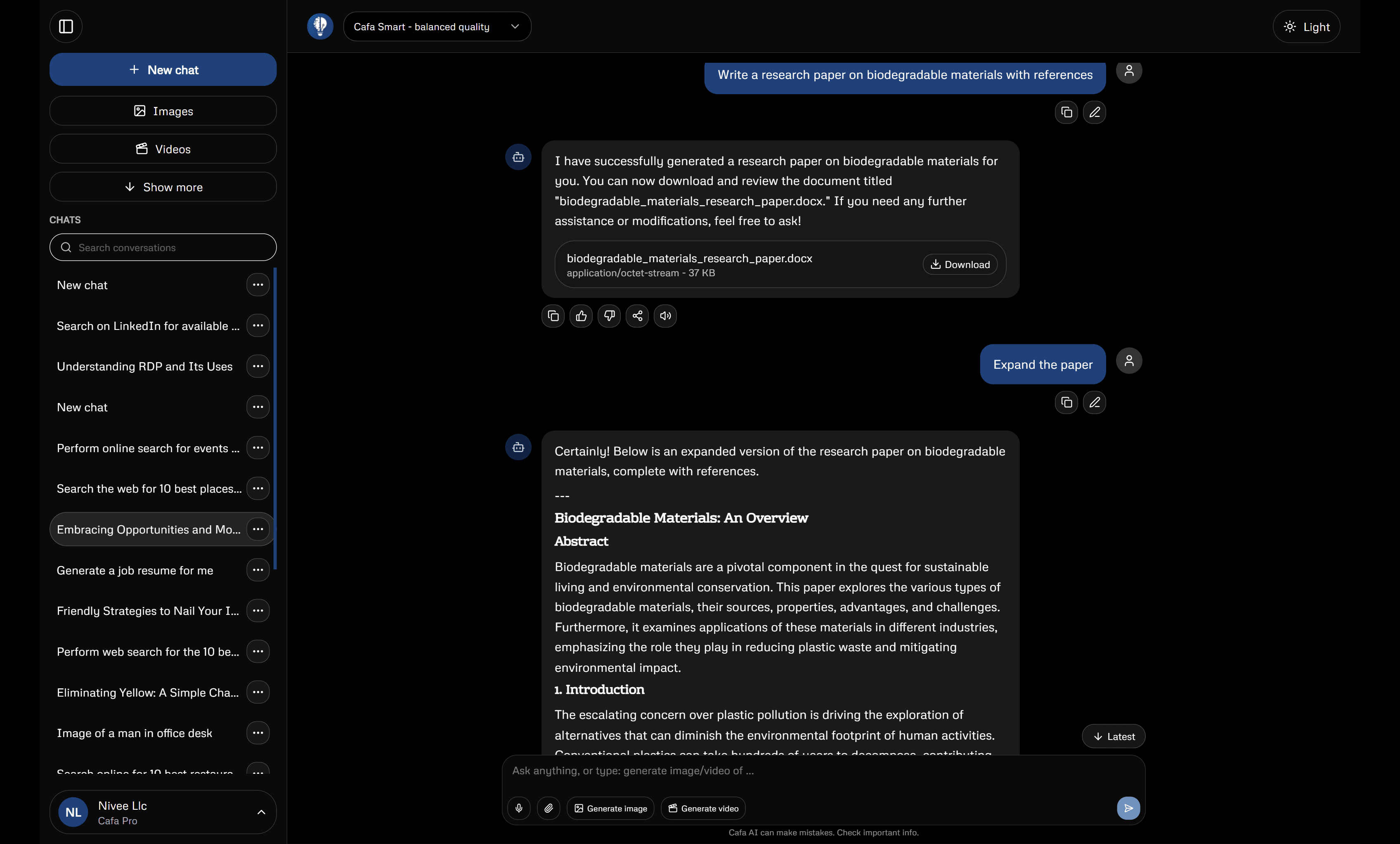
Cafa AI is a web-based generative AI workspace for working with text, files, images, video, and spoken audio. Its central experience is conversational: a user describes an outcome, can add supporting material, reviews the generated response, and continues refining the work. Dedicated screens extend that pattern to documents, writing analysis and rewriting, visual generation and editing, video, and text-to-speech.

This is not a promise that one prompt will produce a finished, correct result. Generative AI predicts and constructs outputs from the information and instructions it receives. It can help someone explore, organize, draft, or create, but it can also misunderstand context and generate convincing errors. Cafa AI is most useful as an assisted workspace in which the user remains the editor, fact-checker, and decision-maker.

The guide below describes capabilities that are represented in the current Cafa AI web product. Exact availability, usage limits, voice choices, and plan entitlements are shown in the live product and may vary by account, so they are not fixed here.

What Cafa AI is—and is not

Cafa AI brings several generative workflows into one interface. A general conversation can support questions, explanations, planning, drafting, and work with attachments. Tool-specific screens help when the desired result is an image, edited image, video, spoken-audio file, document, artifact, or writing assessment.

It is not a human expert, a guaranteed source of truth, or an autonomous publisher. It does not remove the need to understand your sources, obtain permission for material you use, or check a deliverable before sharing it. The output should be treated according to its risk: a private brainstorm needs less scrutiny than educational guidance, client communication, or a public claim.

What can Cafa AI do?

The current web application contains a broad set of creation and assistance surfaces. They share a prompt-led workflow but are intended for different kinds of output.

  • Conversational assistance for explaining, brainstorming, planning, drafting, revising, and following up in context.
  • Attachments and file-supported conversations, including document-oriented workflows and downloadable artifacts where supported.
  • Image generation from prompts and image editing based on an uploaded source.
  • Video creation, including an image-to-video workflow and an avatar-video surface.
  • Text-to-speech with available voice selection or preview controls.
  • Writing tools for AI-detection estimates and humanization or rewriting.
  • Histories and repository screens for returning to conversations and supported generated assets.

Who is Cafa AI designed for?

Cafa AI can support students who want explanations and practice, professionals who need a first draft or structured summary, creators developing scripts and visual concepts, and general users exploring ideas or working with files. Those groups should not use it identically.

A student should preserve academic integrity and verify explanations against course material. A business user should minimize confidential input and assign a reviewer. A creator should check facts, originality, likeness consent, and media defects. In every case, the best fit is a user who is prepared to direct and evaluate the result rather than hand over responsibility.

How Cafa AI works from a user’s perspective

First, choose the surface that matches the intended output. General chat is a useful starting point for thinking and text. A dedicated media or document tool is clearer when the required format is already known. Second, provide an instruction with the purpose, audience, relevant context, constraints, and desired format. Attach a file or image only when it is needed and appropriate to share.

Third, generate a first result and inspect it. Look for factual gaps, unwanted assumptions, formatting problems, and media artifacts. Fourth, refine with targeted feedback: identify what to preserve and what to change. Finally, use the relevant history, repository, or download control where supported, then inspect the exported result in the software or context where it will actually be used.

Chat and writing assistance

Chat can help explain an unfamiliar topic, compare options, generate questions, organize notes, develop an outline, or draft and revise text. Follow-up turns make it possible to clarify a goal and preserve useful context. A strong request names the reader, intended outcome, evidence boundary, and format.

Cafa AI also has dedicated AI-detection and humanization tools. A detection result is an estimate, not proof that a person did or did not write a passage. It can produce false positives and false negatives and should never be the sole basis for an accusation or penalty. Humanization changes phrasing and flow; it should be used as editing assistance, not to conceal prohibited AI use or misrepresent authorship.

Image generation and editing

The image workflow can create a visual from a text prompt. Useful prompts identify the main subject, setting, composition, viewpoint, light, color, and intended medium. The editing workflow uses an existing image as the anchor for a requested change. In both cases, generation is interpretive rather than exact.

Inspect faces, hands, edges, reflections, logos, and embedded text at full size. Keep the original file when editing. Generated images should not be presented as documentary evidence, and a real person’s likeness should be treated with consent and care. A broad visual description is usually more responsible than asking for close imitation of a living creator’s distinctive style.

Video and motion workflows

Cafa AI includes video generation, image-to-video, and avatar-video surfaces. Video prompts work best when they describe one short shot: the setting, subject, action, camera behavior, lighting, and mood. Image-to-video begins with a source image and adds motion, so the quality and composition of the source matter.

Generative video may alter a face, object, background, text, or direction of movement between frames. Watch the entire clip, not only its preview image. Do not create deceptive media about a real event or imply that a person participated, spoke, or endorsed something when they did not.

Voice and audio

The text-to-speech workflow converts prepared text into spoken audio using the options currently available in the interface. Narration should be written for listening: shorter sentences, clear transitions, expanded abbreviations, and deliberate treatment of names and numbers. Preview difficult pronunciation where the interface permits and listen to the complete output.

Synthetic speech does not verify the script or make it suitable for publication. Keep a readable text alternative where appropriate, and do not use synthetic voice to imitate or impersonate someone deceptively or without relevant permission.

Documents, files, and artifacts

The product includes attachments, a document wizard, artifacts, downloads, and repository views. These workflows can help organize source material, develop a structure, and produce supported files. The exact types accepted or exported are determined by the controls in the current screen.

When working from files, tell the AI what each source is for and which source takes priority. Ask it to distinguish stated facts from suggestions and to label missing information. Compare summaries and extracted details with the original. After export, open the file and check layout, charts, links, page breaks, and media because a preview does not guarantee that every external renderer will display it identically.

Practical example use cases

  • Learning: ask for a concept explanation followed by practice questions, then verify it against course material.
  • Work: turn approved meeting notes into decisions, owners, and open questions without inventing deadlines.
  • Writing: create an outline from verified evidence, draft sections, then perform a human line edit.
  • Images: explore several compositions for a campaign concept before finishing typography in a design tool.
  • Video: animate a clear source image with one restrained subject motion and one camera movement.
  • Voice: prepare a short narration, test names and acronyms, then review the full audio before use.
  • Documents: build and review a structured brief before generating a downloadable artifact.

How free and paid access generally differ

Cafa AI includes a plans and billing experience, and some product screens display usage or quota information. Free or guest access may be more limited than paid access, while paid access may provide different limits or entitlements. Exact prices, quotas, and included features can change and are not asserted on this reference page.

Before choosing, open the current plans screen and compare it with the tools and limits visible to your account. Do not assume that a listed category means unlimited generation, that every model or voice is available, or that a saved workflow will remain available indefinitely. Retain important exported work yourself.

Responsible AI use

Responsibility begins with the intended effect on other people. Verify factual outputs; avoid stereotypes and unsupported conclusions; respect consent, attribution, and confidentiality; and do not use synthetic media to manufacture evidence or impersonate someone. Clearly consider disclosure when an audience could otherwise misunderstand how a consequential piece of content was produced.

The amount of review should rise with the stakes. Legal, medical, financial, safety, employment, and similarly consequential matters require qualified expertise and appropriate processes. AI can help prepare questions or organize supplied information, but it should not become the sole authority.

Privacy and safe usage considerations

Provide the minimum data required for the task. Do not enter passwords, authentication tokens, unnecessary personal records, confidential client information, restricted research, or proprietary material without explicit authorization. Redact identifiers or use synthetic examples when real data is not needed.

Read Cafa AI’s current privacy policy and follow the rules of the organization, school, client, or data owner involved. A convenient prompt does not override a confidentiality duty. Also review generated output for accidental repetition of sensitive details before it is downloaded or shared.

Limitations of AI-generated content

  • Text can contain invented facts, citations, quotations, or links.
  • Summaries can remove qualifications and minority viewpoints.
  • Writing tools cannot establish authorship or academic integrity with certainty.
  • Generated images can contain anatomical, spatial, text, or identity errors.
  • Generated video can flicker or change subjects and environments over time.
  • Synthetic speech can mispronounce names and apply unnatural emphasis.
  • File extraction and exported layouts need comparison with the source and final viewer.
  • A confident tone does not indicate reliable evidence or professional expertise.

Frequently asked questions

Do I need to accept the first answer? No. Refine the request, identify the missing detail, or begin again with clearer constraints. Can output be used publicly? Potentially, after checking facts, permissions, originality, safety, and any required disclosures. Is a detection score proof of AI writing? No; it is an estimate and needs context. Are every feature and quota the same for every user? Not necessarily; consult the current product and plans screen.

Can Cafa AI replace a teacher, editor, designer, adviser, or other professional? It can support parts of their workflow, but it does not carry their context, duty, expertise, or accountability. The person using and sharing the output remains responsible for the final decision.

Continue learning